

WordPress Password Hash Generator
Why Choose This Password Hash Generator?
The main reason to use this particular password hash generator today is its support for the new password hashing system introduced in WordPress 6.8. Unlike any other similar generator, it also allows you to create password hashes for previous and legacy WordPress versions, including 2.5.x, 3.x, 4.x, 5.x, 6.x and 7.x, as well as support for future releases.
Using this generator ensures complete security and relevance. Since I regularly use it in my own projects, I carefully track WordPress updates, so you can be confident that you’re getting the most valid password hash.
How to Reset WordPress Password
One of the most reliable ways to reset a WordPress account password is by directly editing the database.
Hash Generation
The challenge lies in the fact that WordPress does not store actual passwords in its user table; instead, it keeps hashed passwords. With this tool, you can easily convert any password into a hash that can be used as the new password for your WordPress account – enter the password you want to set, select the required WordPress version, and click Generate Hash.
Updating the Hash
Once you have generated the hash, you need to:
- Access your site’s database (for example, using phpMyAdmin).
- Locate the
wp_userstable. - Find the row corresponding to the user whose password you wish to change.
- Replace the value in the
user_passcolumn with your newly generated hash.
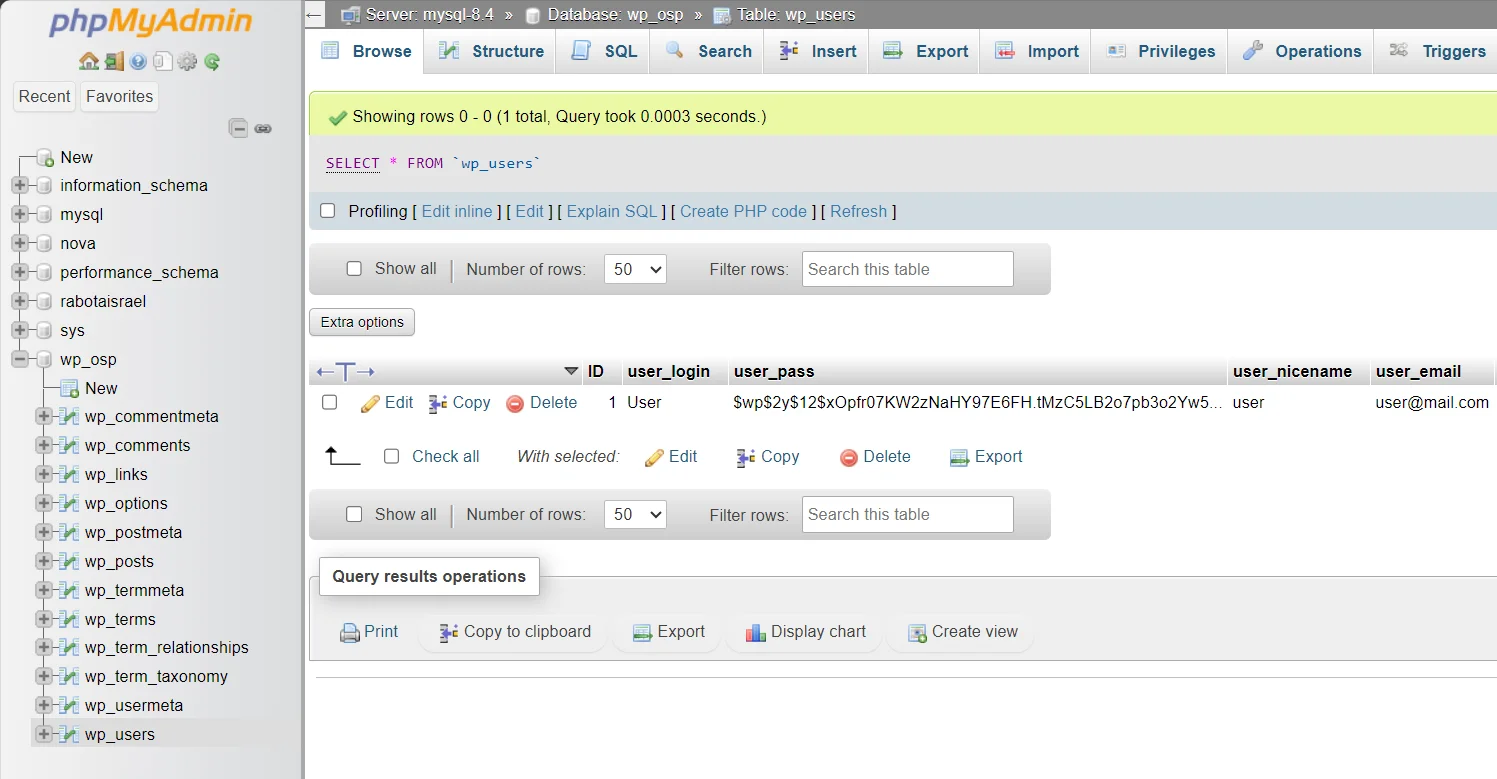
You can also change the password using a simple SQL query:
UPDATE `wp_users`
SET `user_pass` = 'YOUR_GENERATED_HASH'
WHERE `user_login` = 'USER_LOGIN';
Replace the YOUR_GENERATED_HASH and USER_LOGIN with your generated hash and needed user login.